 +
+
A podcast in ChatGPT.DAYFARO IS NOW IN CHATGPT
dayfaro.Dayfaro is now a ChatGPT plugin. Connect your account, turn text into a podcast, and listen in the chat. A setup guide with real screenshots and prompts.
DayfaroDayfaro turns text into a podcast you can play inside ChatGPT. Connect your Dayfaro account, paste your material, and choose a language, speakers and approximate length. The episode appears in an embedded player, with a transcript alongside it.
A useful podcast can start with something small: a week’s project notes, a lesson you want to revisit, or an article you have permission to use. With the new Dayfaro plugin, you can shape that material in your conversation and listen to the result there too.
You need a ChatGPT account with access to the plugin, plus a Dayfaro account with credits for generation. You don’t need to install the Dayfaro CLI or copy an API key.
Sign up at Dayfaro, then add credits in your account. Prepaid packs start at US$5. Use this same account when connecting ChatGPT so your podcasts and balance stay together.
Visit Dayfaro in ChatGPT. Choose Install plugin if shown. If it’s already installed, you may see Manage or Try in chat instead.
Choose Connect when prompted, sign in to Dayfaro and review the permissions before authorizing. Installation and account connection are separate steps.
Use Try in chat, or select Dayfaro from ChatGPT’s plugin controls or an @ mention. Paste the source text and describe the episode you want.
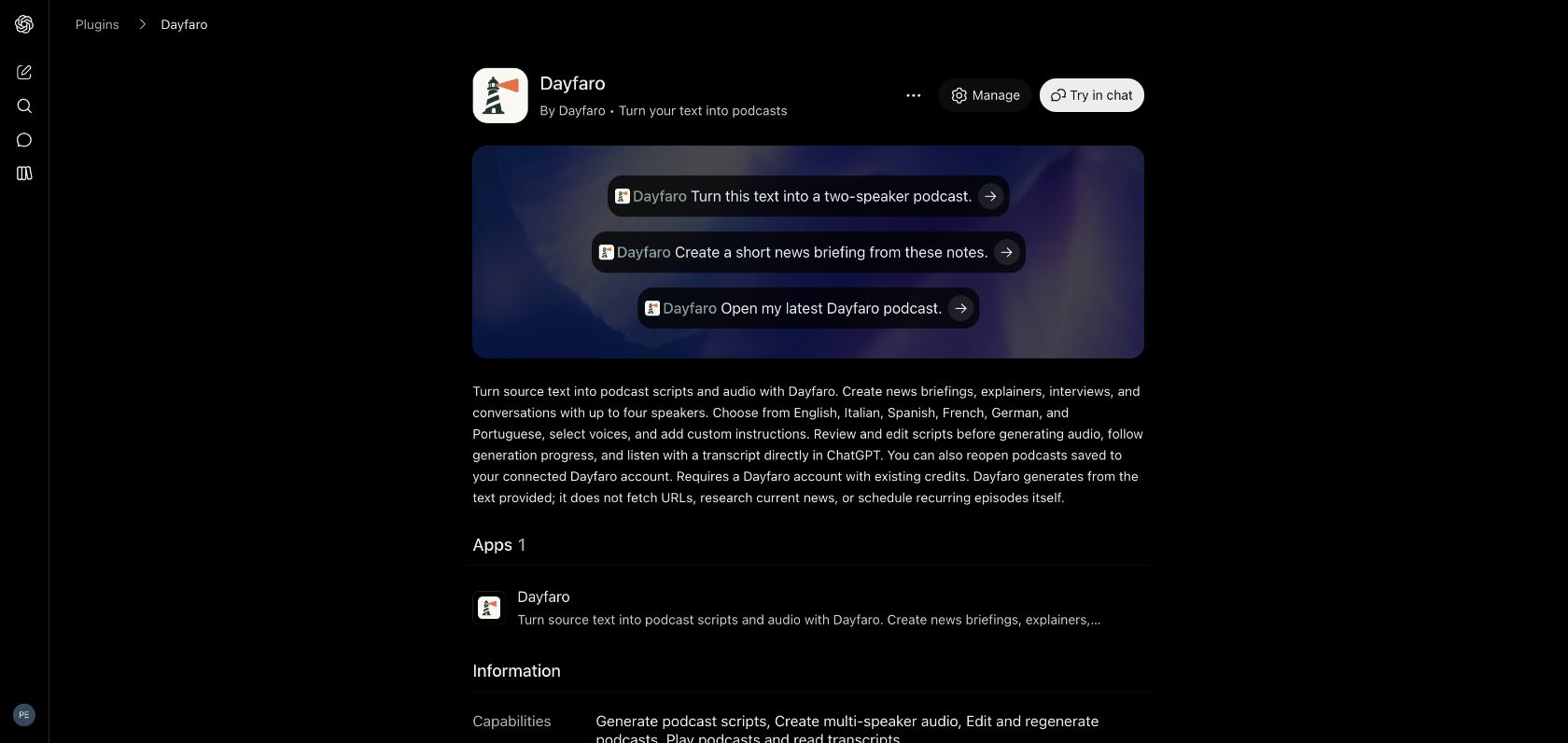
Labels and availability can vary by plan, workspace, region and interface. OpenAI’s plugin guide and account connection guide explain the current controls.
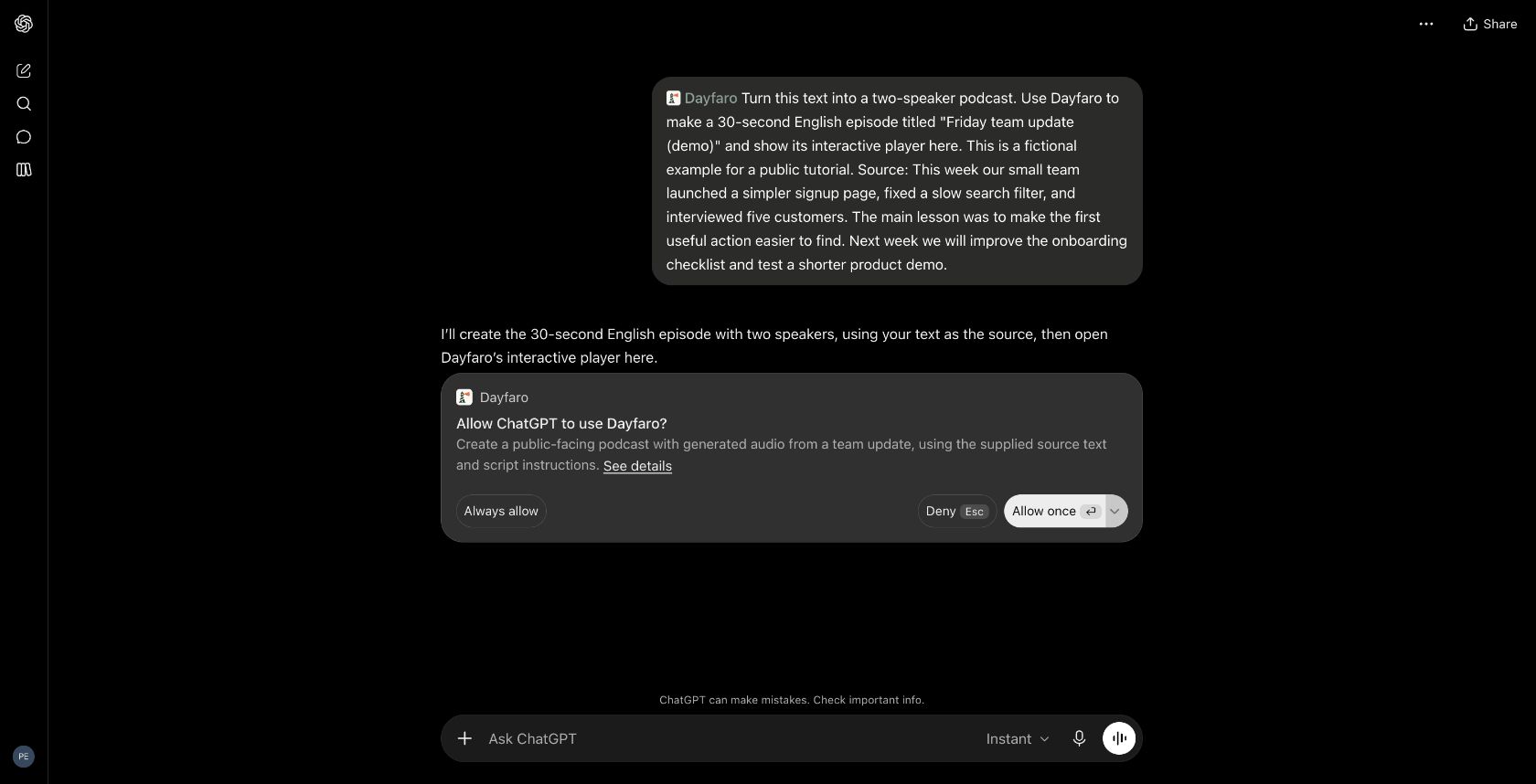
For this walkthrough, we made a short, two-speaker episode from a fictional team update. Start with a small request like this:
Use Dayfaro to turn the text below into a friendly two-speaker podcast in English, around 30 seconds long. Title it “Friday team update (demo)”. Keep it factual and don’t add information.
Source: This week our fictional team launched a simpler signup page, fixed a slow search filter, and interviewed five customers. The main lesson: make the first useful action easier to find. Next week we’ll improve the onboarding checklist and test a shorter product demo.
ChatGPT may ask you to approve the generation action. Review the request; Allow once authorizes that request. Dayfaro then creates the episode and displays its progress in the chat.
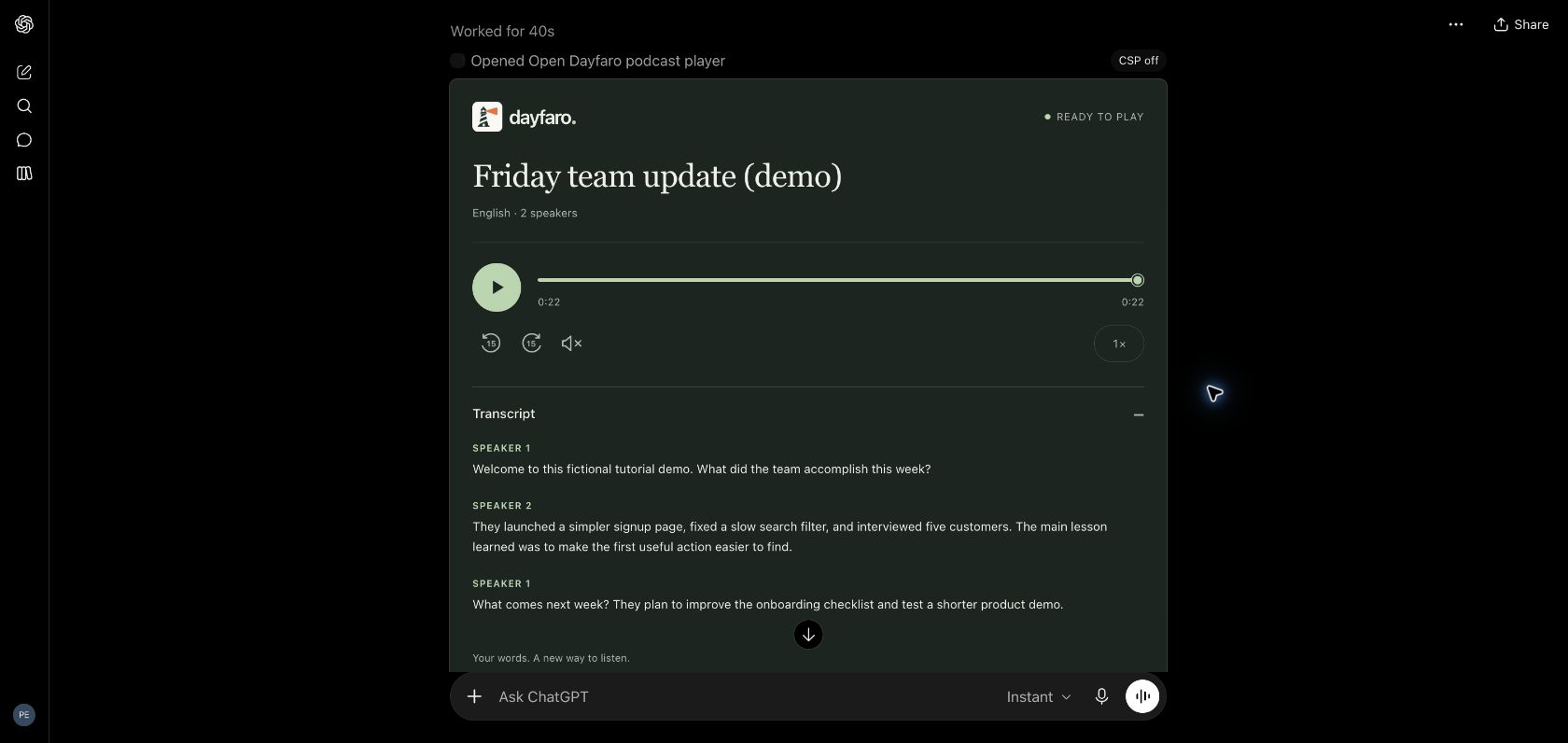
When the audio is ready, the Dayfaro player offers playback, seeking, 15-second skips and speed controls. Expand Transcript to read the dialogue. Our demo played successfully and finished at 22 seconds; requested durations are approximate.
Your episode is also saved in My podcasts in Dayfaro. Open it there to find the audio and transcript downloads or return to it later.
Use Dayfaro to draft a two-minute podcast script from these notes. One speaker, plain English, no invented facts. Show me the script and wait for my approval before generating audio. [Paste notes]
Turn this explanation into a three-minute conversation between two speakers: one explains, the other asks short clarifying questions. Keep the caveats and define unfamiliar terms. [Paste source text]
Create a one-minute podcast in Italian from this update. Use two speakers and a relaxed, natural tone. Preserve names, dates and numbers. [Paste update]
For news or research, gather reliable material and check the facts first. The listed plugin works from the text you supply; it doesn’t independently fetch websites or schedule daily episodes. For those workflows, explore Online search and schedules in the Dayfaro workspace.
Podcast generation in ChatGPT uses the credits in your connected Dayfaro account. The same balance is available in the web workspace and other connected Dayfaro tools. A ChatGPT subscription does not include Dayfaro credits.
Prepaid packs start at US$5, with no subscription required. The credits used depend on the generation request, so there isn’t one fixed price per episode. Check current packs and checkout for prices and applicable taxes. Review your script before generating audio to avoid paying for unnecessary new versions.
If ChatGPT asks you to connect again, check the Dayfaro connection in its plugin settings and confirm you’re using the account that holds your credits. An installed plugin can still need an account connection.
If the player says it couldn’t display the episode, try its retry control or ask Dayfaro to reopen the existing podcast. Check My podcasts before asking for a new generation. Reloading a player and creating a new episode are different actions.
Yes. Connect your Dayfaro account and add prepaid credits before generating audio. Your podcasts and credit balance belong to that account and are also available in the Dayfaro web workspace.
Dayfaro prepaid credit packs start at US$5, with no subscription required. Generation uses your Dayfaro balance; the amount depends on the request. ChatGPT subscriptions are separate and do not include Dayfaro credits. Check the pricing page and checkout for current prices and applicable taxes.
The listed plugin works from supplied source text. Prepare and check the material first, then pass that text to Dayfaro. For a workflow that researches topics or public URLs, use Online search in the Dayfaro web workspace. The plugin itself does not fetch websites or run recurring schedules.
Yes. Ask Dayfaro to create a script first and wait for your approval before making the audio. Review the wording, correct any facts, and request changes before asking it to generate the episode.
The Dayfaro listing supports English, Italian, Spanish, French, German and Portuguese, with up to four speakers. Include the language, speaker count, tone and approximate duration in your prompt.
Plugin availability can depend on your ChatGPT plan, region, workspace settings and the interface you use. Open the public Dayfaro listing while signed in, check that the plugin is installed and your Dayfaro account is connected, and consult OpenAI’s plugin help if the option is unavailable.
Create your Dayfaro account, choose a credit pack, and connect it to ChatGPT. Start with one piece of text you’d like to listen to.
Setup and screenshots checked October 28, 2026. This guide covers the public Dayfaro plugin. ChatGPT and the OpenAI logo are trademarks of OpenAI; this integration does not imply endorsement by OpenAI.